In t he tech world, there has always been talk about going wireless and how freeing that would be and that we ‘don’t need no stinkin’ wires!’ I have yet to find a technology that is truly wireless. The mobile phone comes as close to being a wireless device as there is, but even that must be recharged by a cord, usually. Contact/wireless chargers – though technically ‘wireless’ to the phone, it has to be in proximity to the chargeable device to be of any use. But that’s not what I’m talking about today.
In the arena of sound, it seems ironic maybe, that the thing which floats to us on the ether, the wind – sound – is wireless, but the means to transmit music, speech, etc. is not. In your home and mine, the need to connect our source-devices to speakers so we can enjoy– oh, say Black Dog from Led Zeppelin, destroys the illusion of wirelessness. As if that’s a word, but I think you know what I mean.
So me, having several customers currently that could benefit from some form of wireless, I did some homework. Lots of homework. And my mind has been swayed by what I discovered. But first, I need to digress a bit.
Not long ago – maybe 9 months – I installed a home theatre receiver by Yamaha, selected and specified by function and price point mostly. At the time, I didn’t consider the eventual expansion of the home audio system this friend would come to desire, nor did I consider the wireless tech available to be acceptable. More expensive models of Yamaha receivers included their wireless connectivity technology called ‘MusiCast’, a compelling yet closed-system for the expansion of a music distribution system. I found it also is limited in the choice of wireless speakers, and lacks the availability of a wireless subwoofer. Not bad, but not so good either.
(do I need this??) A very short lesson in how wires move electrical energy. Some wires are made to move very low voltage- tiny amounts of voltage even – from audio components like CD players, DVD’s, cable TV boxes, etc. These low voltage signals, measured in milli-volts, eventually get amplified by – yes, you guessed it – audio amplifiers. It’s entirely possible that these audio signals get transported through the air, on the ether, to a receiver that will reassemble the signal and allow it to be converted back into sound energy. It’s possible, and it is done every day.
When the audio signal is amplified on that far end, it must be transported to a speaker on a much heavier wire, and with significantly higher voltage and amperage (a.k.a. current). This is where the wireless audio experience just isn’t wireless, or really capable of it in the everyday homes of people like your sister, your friend from college, or the guy in accounting. OK, the guy in accounting probably doesn’t listen to real music anyway, so let’s forget about that.
Now, let me be honest about a few things: years ago, the wireless transport and reproduction of sound just wasn’t very good. There are laws governing how strong the signal can be, at which frequencies they must be reconstituted, etcetera, etcetera. It was an expensive proposition, and frankly, nobody really wanted to pay for the quality I personally would expect.. I’m not an esoteric audio guy, so don’t throw me into that dark den of $10,000 speakers. My ears have appreciated too much rock-n-roll as God intended to find a life-changing experience in something like that. No, I’m a pretty average enthusiast, but I like my bass and I like it loud and clear, no distortion. But I have wandered off the path, and the weeds are tall here.
In my quest for knowledge and persuit of excellence, I’ve discovered ‘Sonos’, a wireless audio system that just may live up to the hype that has been thrown out by audio equipment dealers and self-loathing salesmen (I don’t know any self-loathing saleswomen, so I can’t group them here). Specifications say a lot, but numbers can lie in this business. It’s not always about how many watts are conjured, and yes Harriett, size does matter. Does a 4″ woofer REALLY deserve to be called a woofer, or is DRIVER more appropriate? We’ll see, my friend. We’ll see.
Visit this next time, when I’ve heard the truth, and will have been set free. Until then…

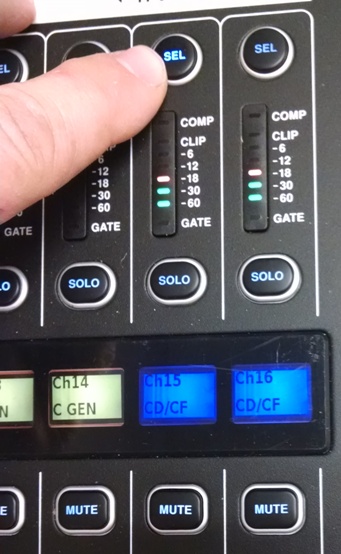
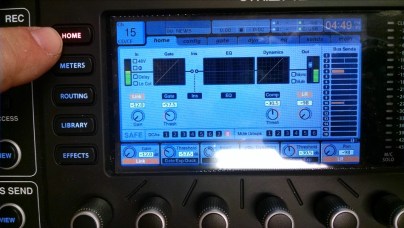
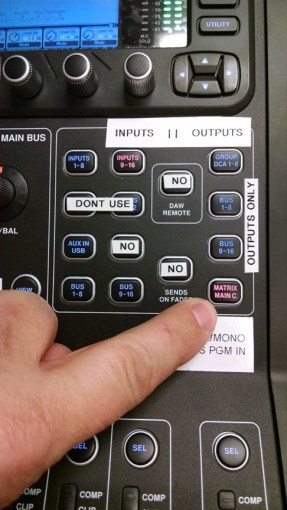
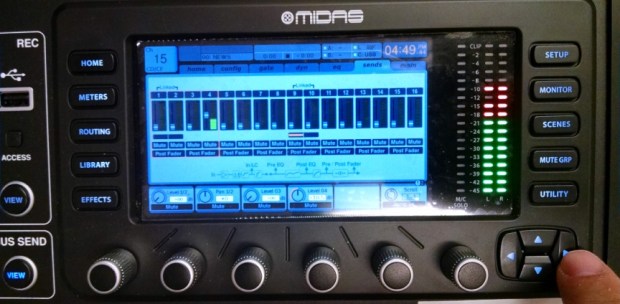 Under the ‘sends’ tab you will have a representation of the 16 Mixbus faders. Notice the thin red line around the first four virtual faders/meters, and the virtual knobs on the screen below those, and rotary encoders below those. The rotary encoders below the virtual knobs adjust the audio level for faders 1 through 4. Turn the 4th knob clockwise, and you will see the virtual fader #4 move up and the virtual knob #4 will turn. Audio level LED’s should be represented as well. Set your level at about + 1 dB. The dB indicator is in the ‘box’ with the virtual knob. Now you will have signal on Bus 4, and also Matrix 4 (not seen here), which is what we want.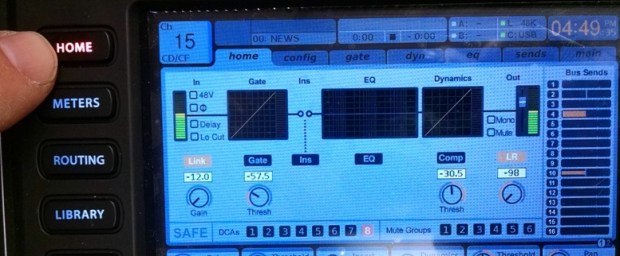

 welcome to radgadgets!